
Many SAP Business One users believe that a Goods Receipt PO (GRPO) can only have one Landed Cost document assigned to it.
This misconception exists because SAP Business One closes the GRPO from a Landed Cost perspective after all lines have been included in a Landed Cost document.
As a result, users often assume the process is complete and that additional costs cannot be added. However, the GRPO is not closed from an A/P perspective and SAP Business One provides a method to reopen the receipt specifically for additional Landed Cost processing.
This functionality is particularly useful when freight invoices, brokerage fees, customs duties, insurance charges, or other import-related costs arrive at different times.
Instead of estimating all costs upfront, additional Landed Cost documents can be created against the same GRPO as new charges become available.
When all quantities on a GRPO have already been used in a Landed Cost document, SAP Business One treats the receipt as closed for additional Landed Cost processing.
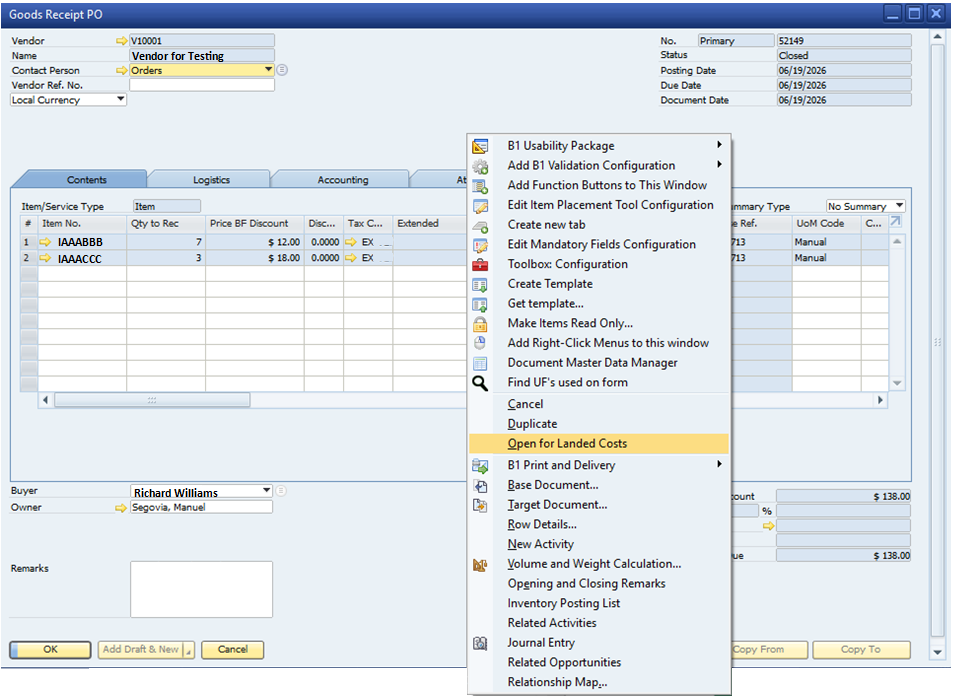
To add additional Landed Costs, open the original GRPO, right-click anywhere inside the document, and select:
Open for Landed Costs
This action reopens the GRPO specifically for Landed Cost purposes and allows a new Landed Cost document to be created without affecting the original purchasing transaction.
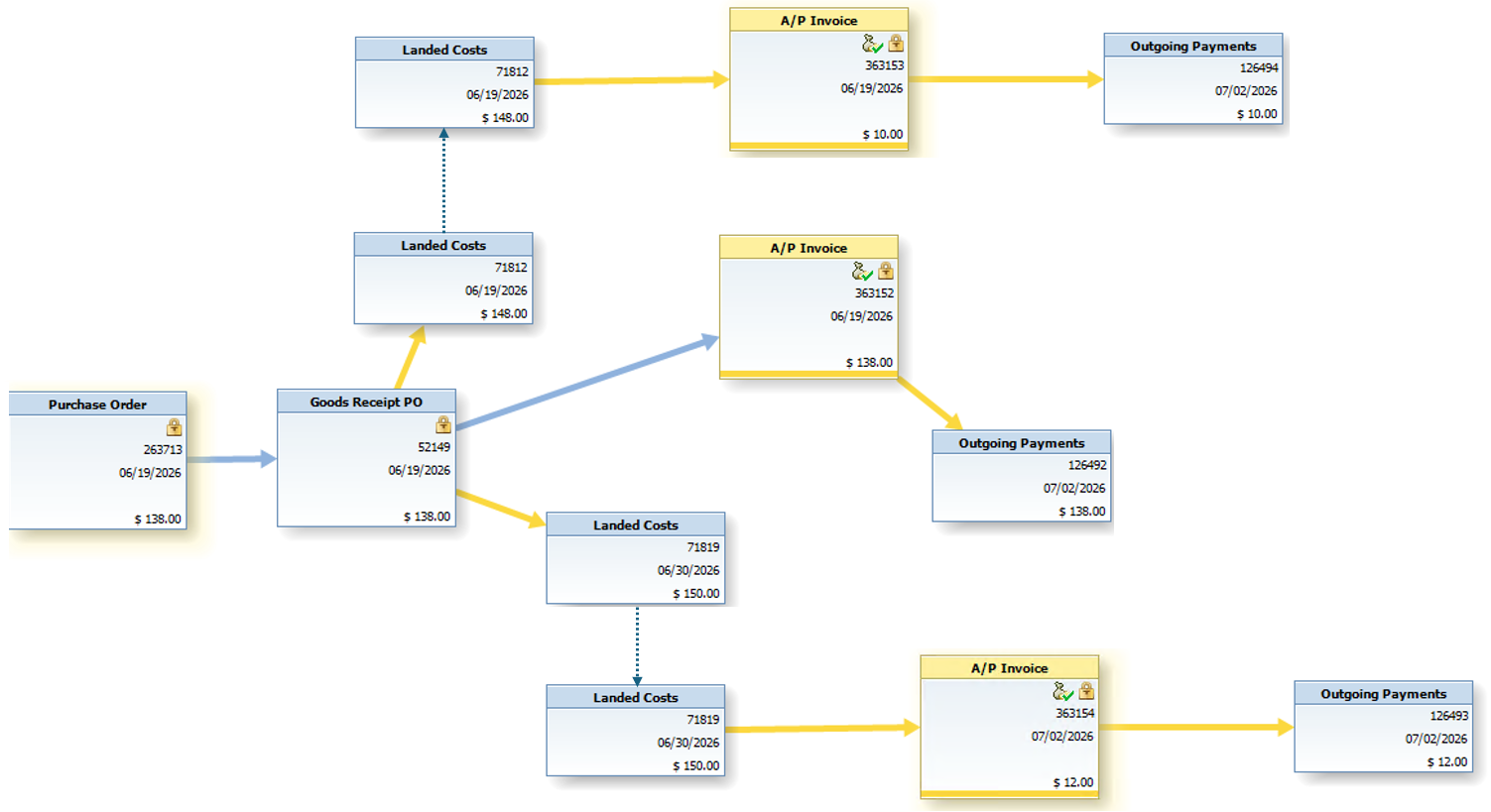
The Relationship Map below demonstrates a GRPO that has been used to create multiple Landed Cost documents.
In this example, the first Landed Cost document was created when the goods were initially received. A second Landed Cost document was later added when additional charges became available.
This approach is commonly required when:
The Relationship Map clearly shows that multiple Landed Cost documents can be linked back to the same GRPO while maintaining full document traceability.
A GRPO that appears closed for Landed Costs is not necessarily finished. SAP Business One allows users to reopen the document for additional Landed Cost processing and continue adding inventory-related charges as they become available.
This capability provides significantly better inventory valuation accuracy and reflects the realities of international purchasing, importing, and complex logistics operations where costs rarely arrive at the same time.